Notifications
VPN Reporter shows two kinds of notifications in the web console. Email notifications are separate; they are set up in Alarm management.
Pop-up notifications
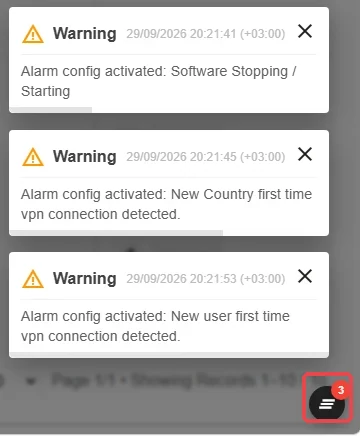
Events such as a new VPN connection, a saved setting or an error appear as short messages at the bottom right. Each message closes on its own after a few seconds; click × to close it earlier.
Choose which of these you receive under Notification preferences.
Clearing all notifications
When several notifications pile up on the screen, click the round icon with stacked lines at the corner of the screen to close them all at once. The number on the icon shows how many notifications are open.
Notification boxes
Ongoing situations that need your attention stay on screen as boxes at the bottom left, for example Setup Wizard until the setup is complete or Site Issues while a site is stopped. Click a box to open the related screen.
When there are several boxes, a single main box appears with their number. Click the main box to expand the others, then click a box to open its content. Drag the ⠿ handle to move the boxes.
