Firewall preparation
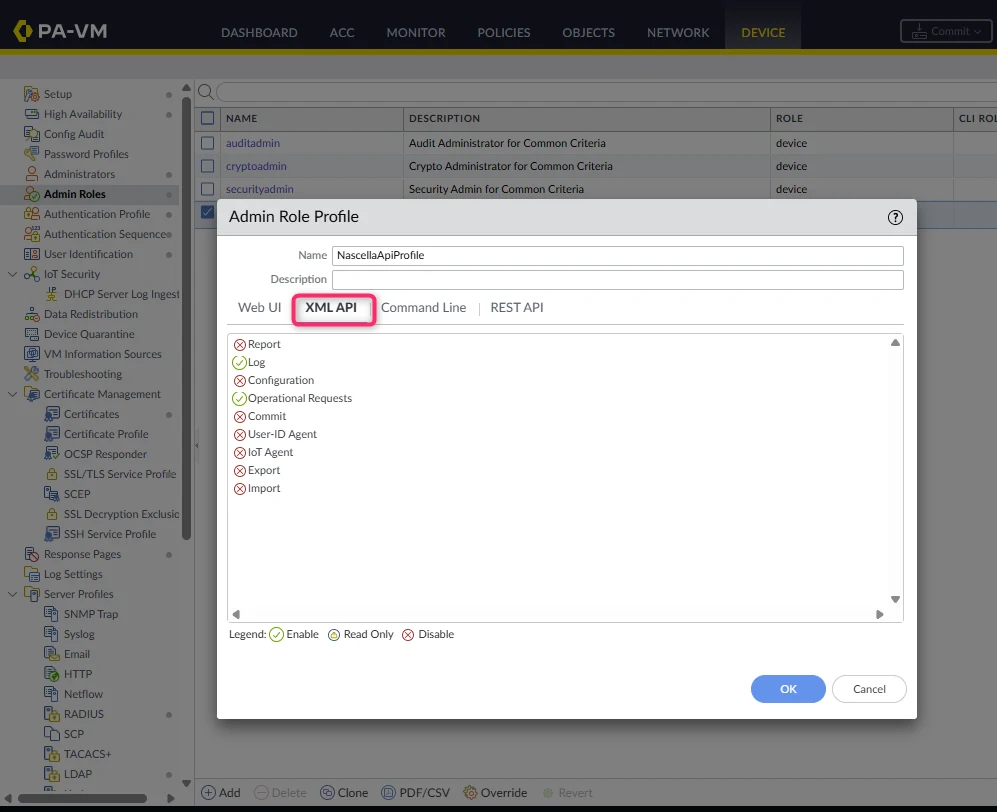
VPN Reporter connects to the firewall with a dedicated admin account that can only use two XML API permissions. Web UI, command line and REST API access are not needed, so they are all turned off.
| Permission | Why it is needed |
|---|---|
| XML API → Log | Read traffic logs and interpret VPN sessions |
| XML API → Operational Requests | Track active GlobalProtect sessions |
1. Create a limited admin role profile
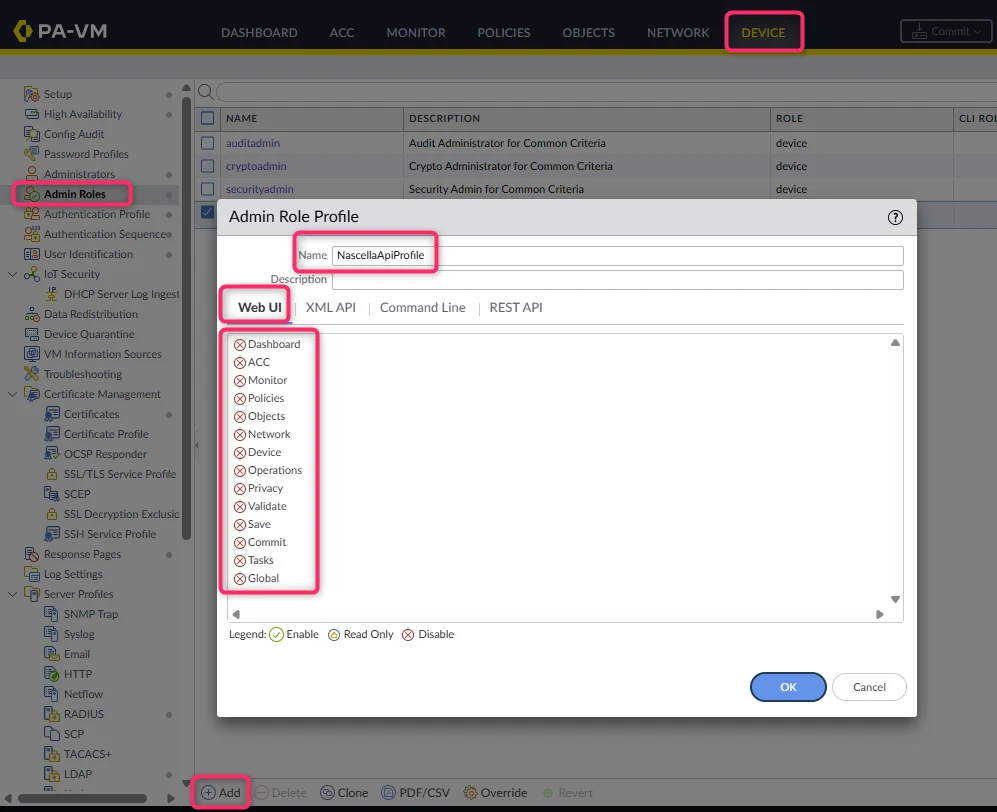
- Go to Device → Admin Roles and click Add at the bottom of the list.
- Enter a Name, for example
NascellaApiProfile.
Web UI tab
Set every item to Disable (red cross), as in the screenshot. Click an item's icon to change its state.
XML API tab
Enable only Log and Operational Requests. Leave all other items disabled.
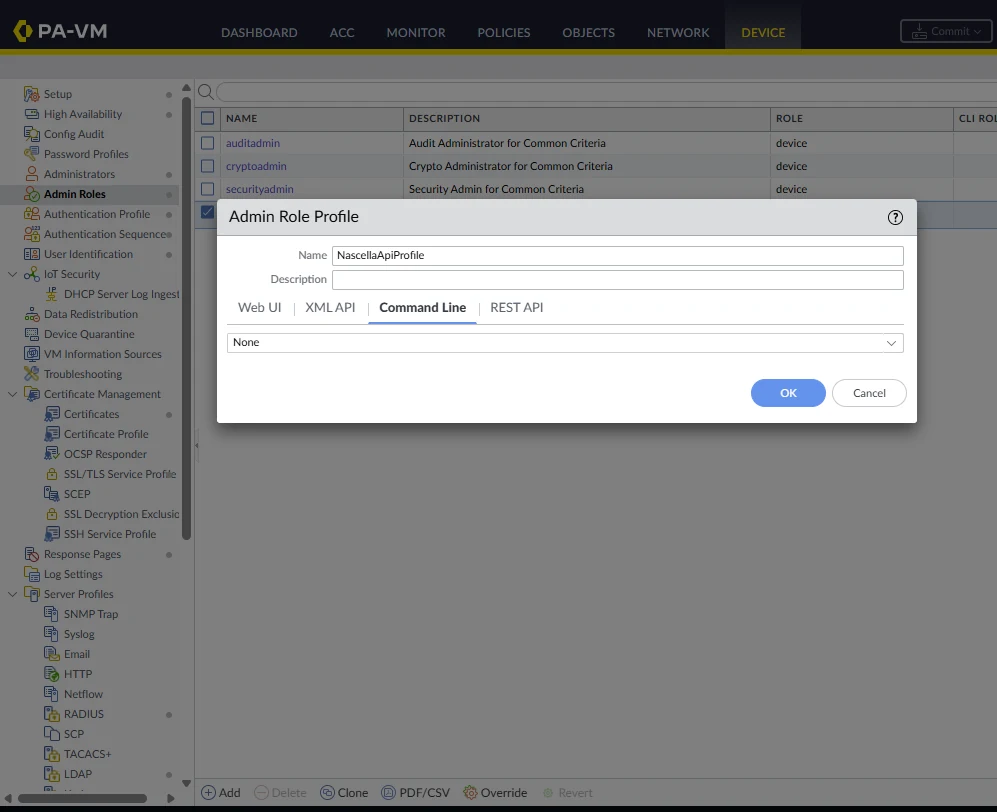
Command Line tab
Select None.
REST API tab
Leave every item disabled.
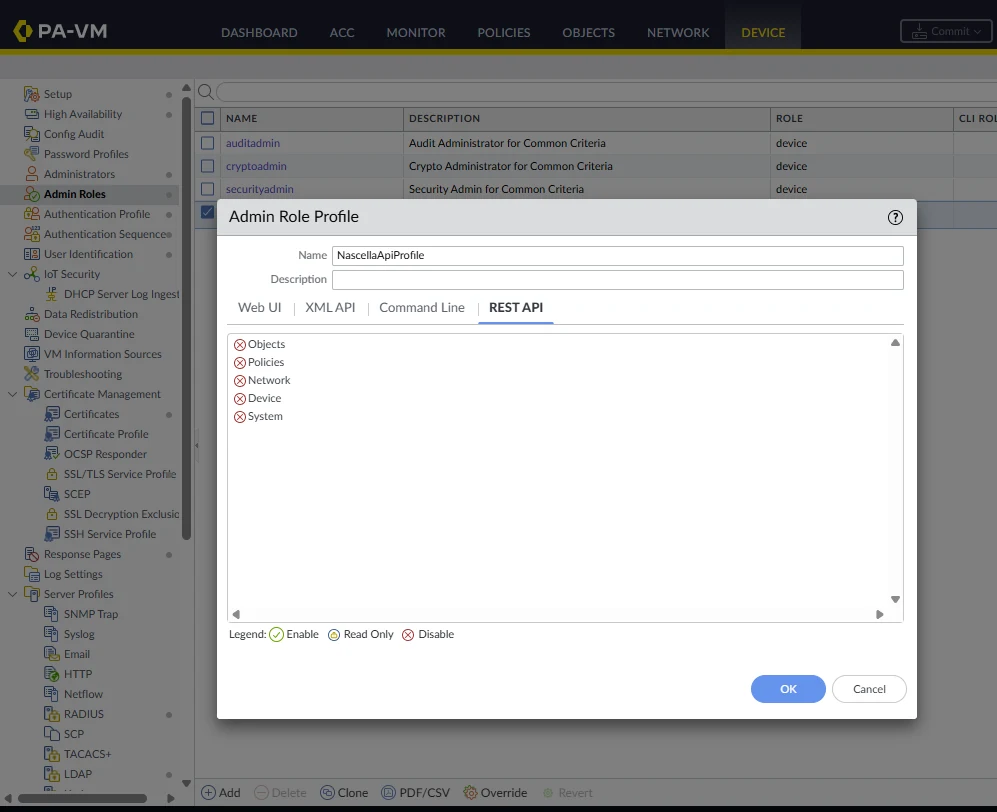
Click OK to save the profile.
2. Create the admin account
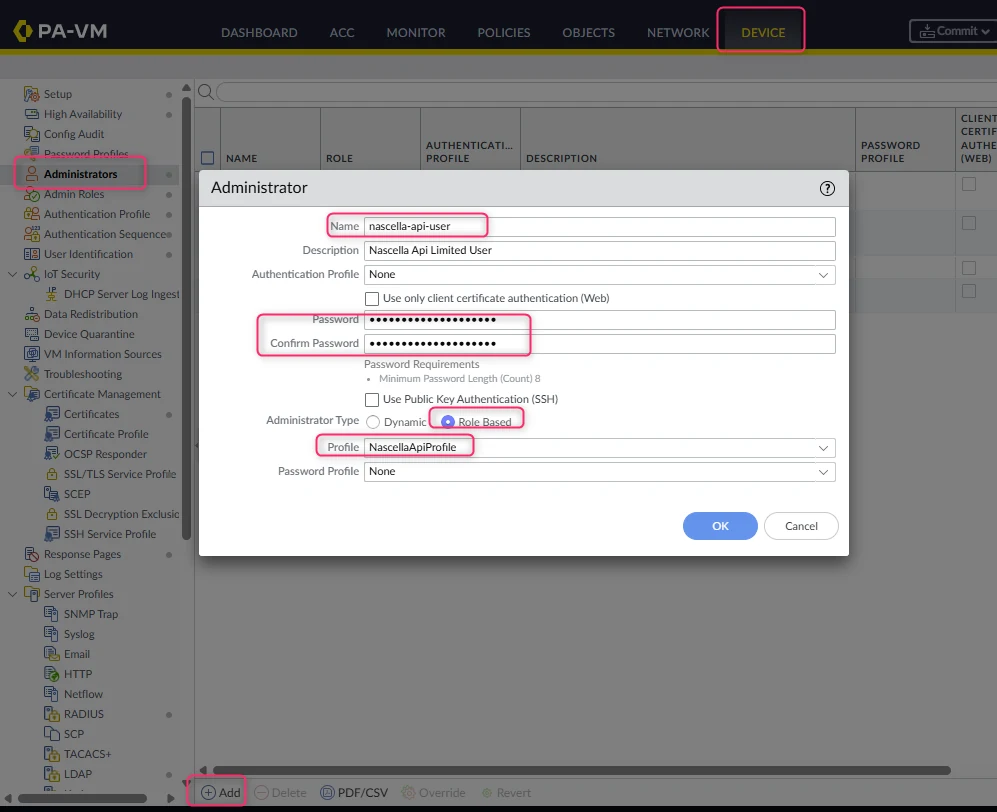
- Go to Device → Administrators and click Add.
- Enter the account Name, for example
nascella-api-user. - Enter a strong password in Password and Confirm Password.
- In Administrator Type, select Role Based, select the profile you created in the previous step
(
NascellaApiProfile) in Profile, and click OK. - Commit the changes.
PAN-OS treats upper- and lower-case letters as different characters. Enter the account name in VPN Reporter
exactly as you typed it in the Name field — NascellaApi and nascellaapi are different accounts.
When logs are collected through Panorama, create the same role and account on Panorama. In high-availability (HA) pairs, enter both the primary and the secondary device in VPN Reporter.